

Blocking PRs is currently in beta and is available on GitHub (GitLab support is on the roadmap). To request access for your team, contact support@corridor.dev.
Prerequisites
- Pull Request Reviews enabled for your team
- GitHub connected to Corridor
- Permission to edit branch protection or rulesets on the repository you want to protect
How it works
When a pull request is opened or updated, Corridor reviews the changes and posts any security findings as inline comments. A single Corridor Review check reflects the result:- Passing — no open findings at your configured blocking severities.
- Failing — one or more findings need attention. If the check is required in branch protection, the merge is blocked until they’re resolved.
Clearing the check
Developers can clear the check in whatever way fits the situation, all from the PR:- Fix the code — push a fix and Corridor automatically re-verifies the finding and clears the check once it’s resolved. No manual step required.
- Mark a false positive — reply
false positiveon the finding’s inline comment to dismiss it, with the decision recorded. - Accept the risk (unblock) — reply
unblockto override a specific finding when your team decides to proceed. - Adjust from the dashboard — security teams can change a finding’s severity or resolve it centrally, and the check updates automatically.
Setting it up
There are two steps: choose your blocking rules in Corridor, then require the check in GitHub. Both are required — Corridor reports the pass/fail signal, and branch protection is what turns that signal into enforcement.1. Choose your blocking rules in Corridor
On the PR Reviews page, open Settings and:- Ensure Enable Pull Request Reviews is on.
- Under Block PRs with Security Findings, check the severities that should block a merge (for example, Critical and High). Leaving every severity unchecked disables blocking.
- Ensure Leave Comments on Pull Requests is on.
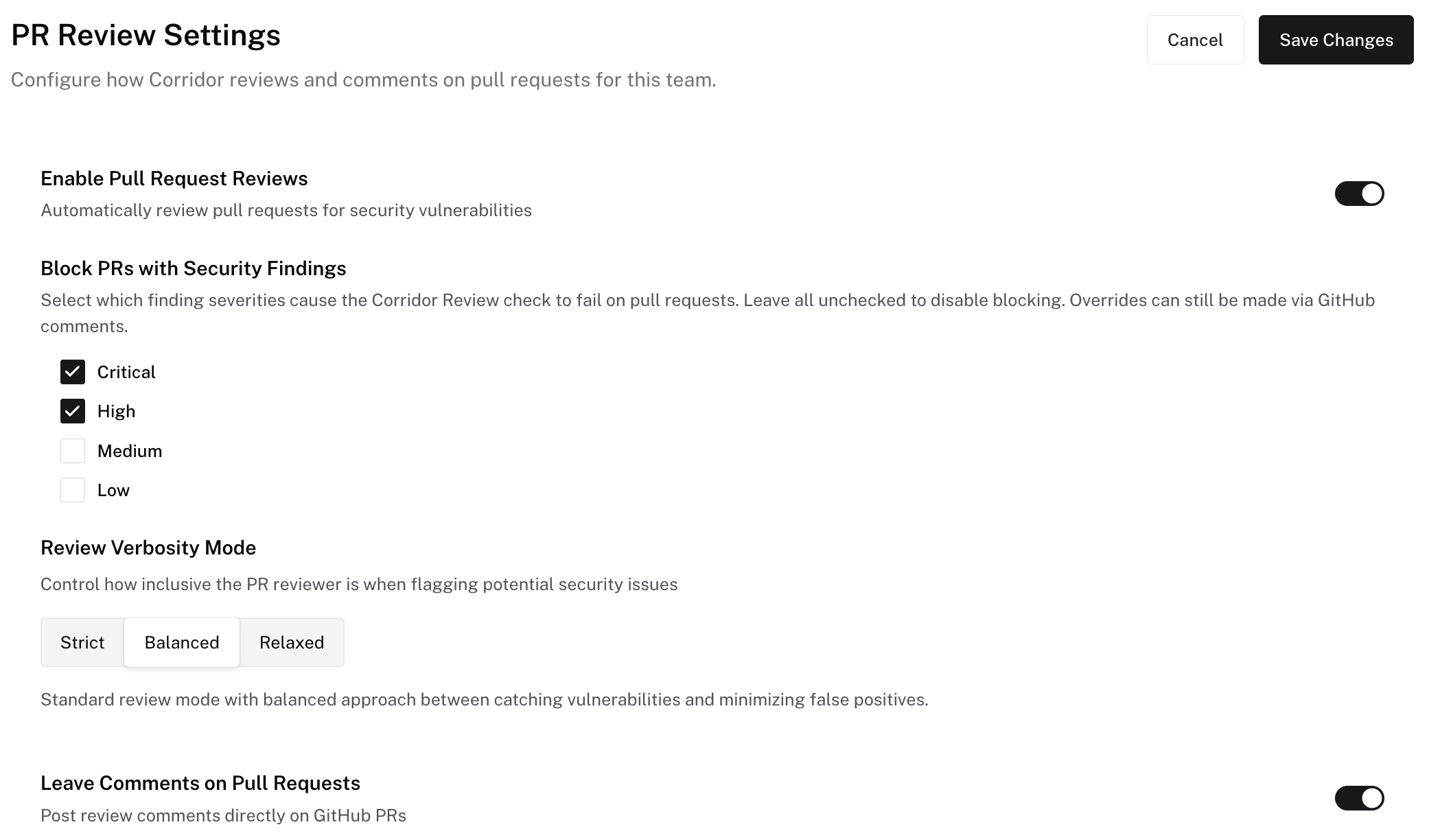
2. Require the check in GitHub
This is the step that enforces the block — on its own, the Corridor Review check reports pass/fail but does not prevent merges.- Branch protection
- Rulesets
- Go to repository Settings → Branches → Add branch protection rule (or edit an existing rule).
- Set the Branch name pattern to your protected branch (for example,
main). - Enable Require status checks to pass before merging.
- In the search box that appears, find and select Corridor Review.
- Save changes.
Next steps
PR Reviews
How Corridor reviews pull requests and how to reply to findings
Findings
Track and manage security findings